Invite AutoReacter
There are multiple ways to invite AutoReacter to your server.Method 1: Using Bot Profile
The quickest way to invite the bot:-
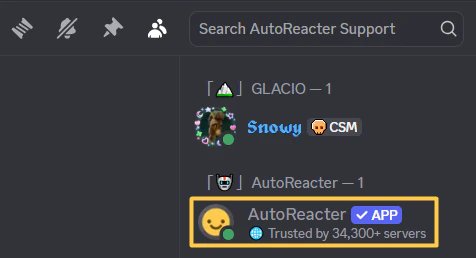
Find AutoReacter in your server’s members sidebar
-
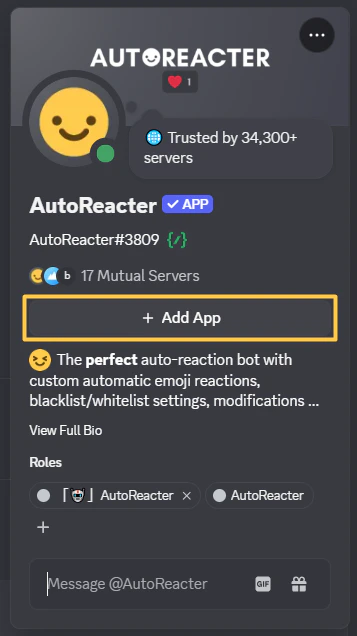
Click the “Add App” button
-
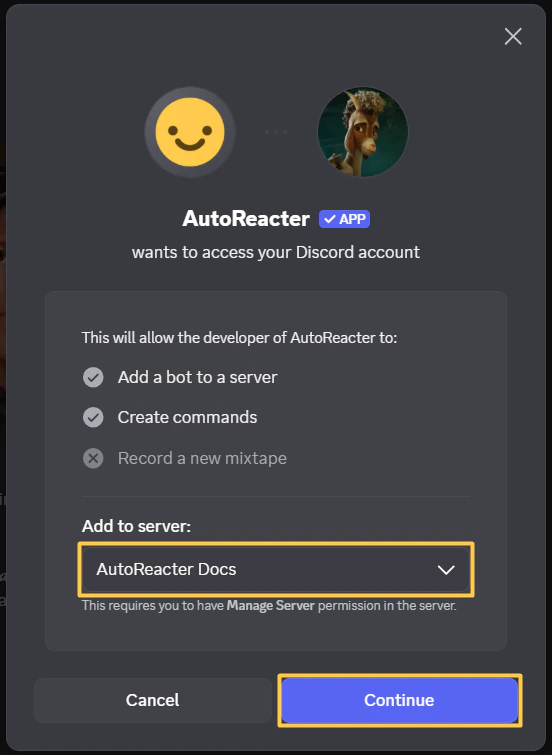
Select the server you want to add AutoReacter to:
-
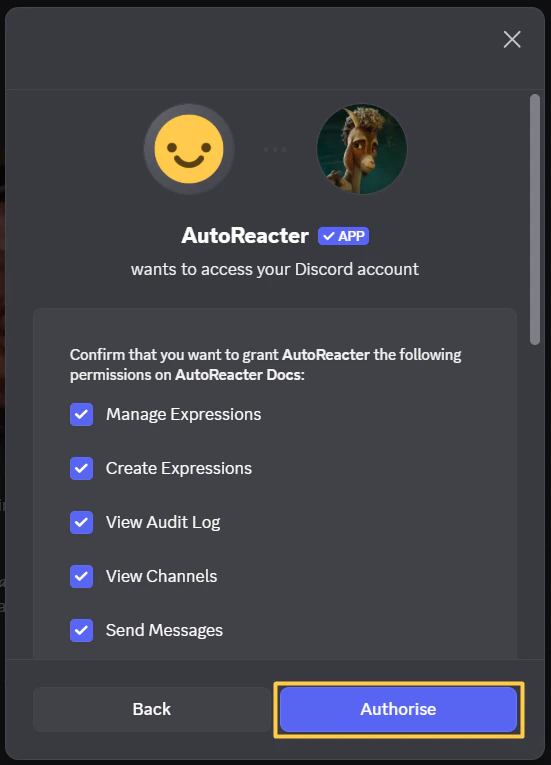
Authorize the permissions:
Method 2: Using /invite Command
Get the invite link directly in Discord:
- Run
/invitein any server where AutoReacter is already added - Click the “Invite AutoReacter” link
- Select the server you want to add AutoReacter to
- Authorize the permissions
Method 3: Using the Website
Invite via the official website:- Go to autoreacter.com
- Click “Invite Bot” button
- Select the server you want to add AutoReacter to
- Authorize the permissions
Permissions Required
AutoReacter needs these permissions to function properly:- Add Reactions - Add emoji reactions to messages
- View Channels, Read Message History - See messages in channels
- Send Messages, Send Messages in Threads - Send responses and slash commands
- Manage Messages - Delete unreacted messages (if modification enabled)
- Use External Emojis - Use custom emojis from other servers
- Create Expressions, Manage Expressions - Create emojis with
/clonecommand - Embed Links - Embed links when needed
- Attach Files - Send files when needed
- Use External Stickers - For future features
- View Audit Log - See who invited AutoReacter (for welcome message)
Welcome Message
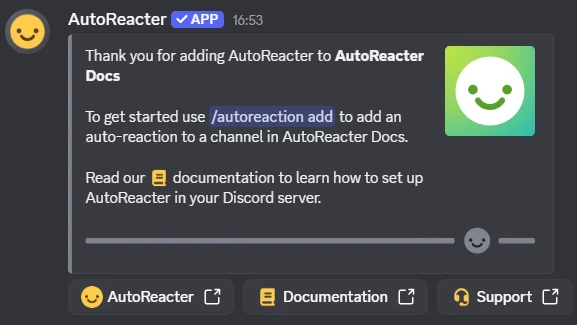
When you invite AutoReacter to your server, you’ll receive a welcome message: